Turn Telegram into your
Private, Unlimited Cloud
A safe, resumable, and autonomous personal file uploader for Windows and Linux. Gradually scans local folders, queues files in SQLite, and uploads directly to your private Saved Messages or Channel with intelligent flood-wait protection.
mkdir "%TEMP%\TeleDrive" 2>nul & curl.exe -fL --progress-bar -o "%TEMP%\TeleDrive\TeleDrive-Setup-1.0.6.exe" "https://github.com/amjadlle/TeleDrive/releases/download/v1.0.6/TeleDrive-Setup-1.0.6.exe" & if errorlevel 1 (echo Download failed. & exit /b 1) else (start "" "%TEMP%\TeleDrive\TeleDrive-Setup-1.0.6.exe")Engineered for Complete Transparency
Explore the PySide6 desktop client interface. Click any screenshot below to inspect high-resolution details in full view.
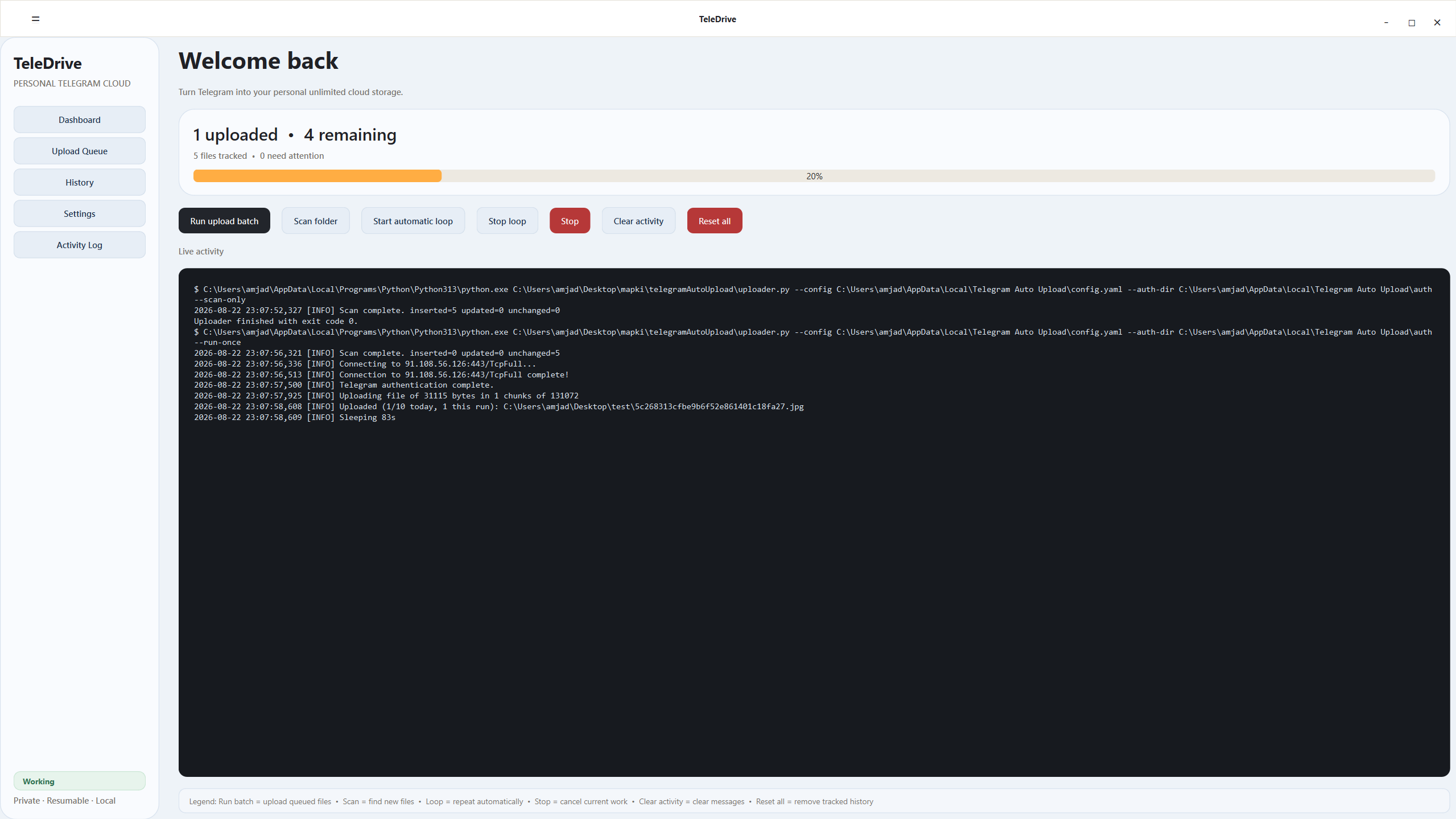
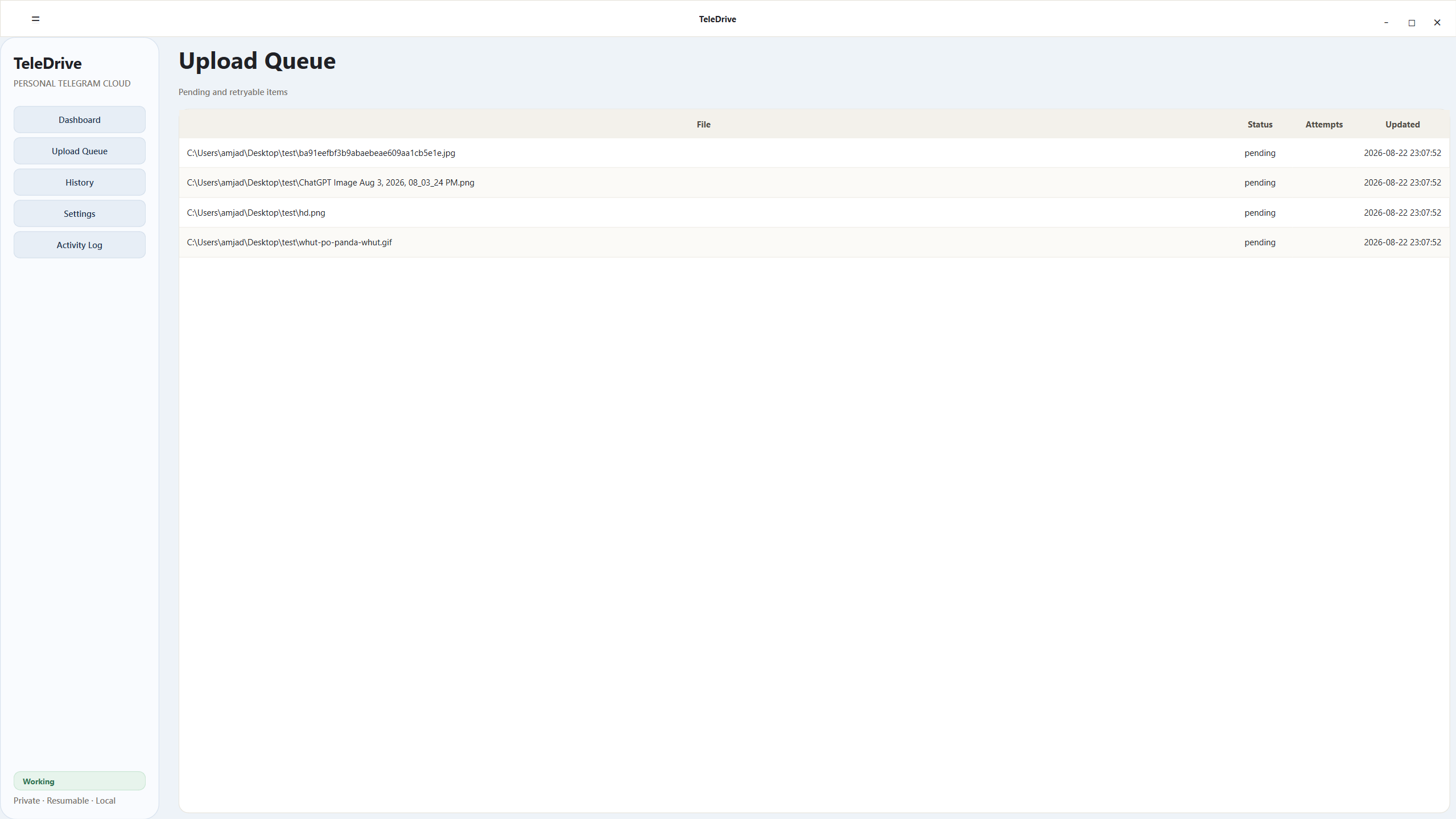
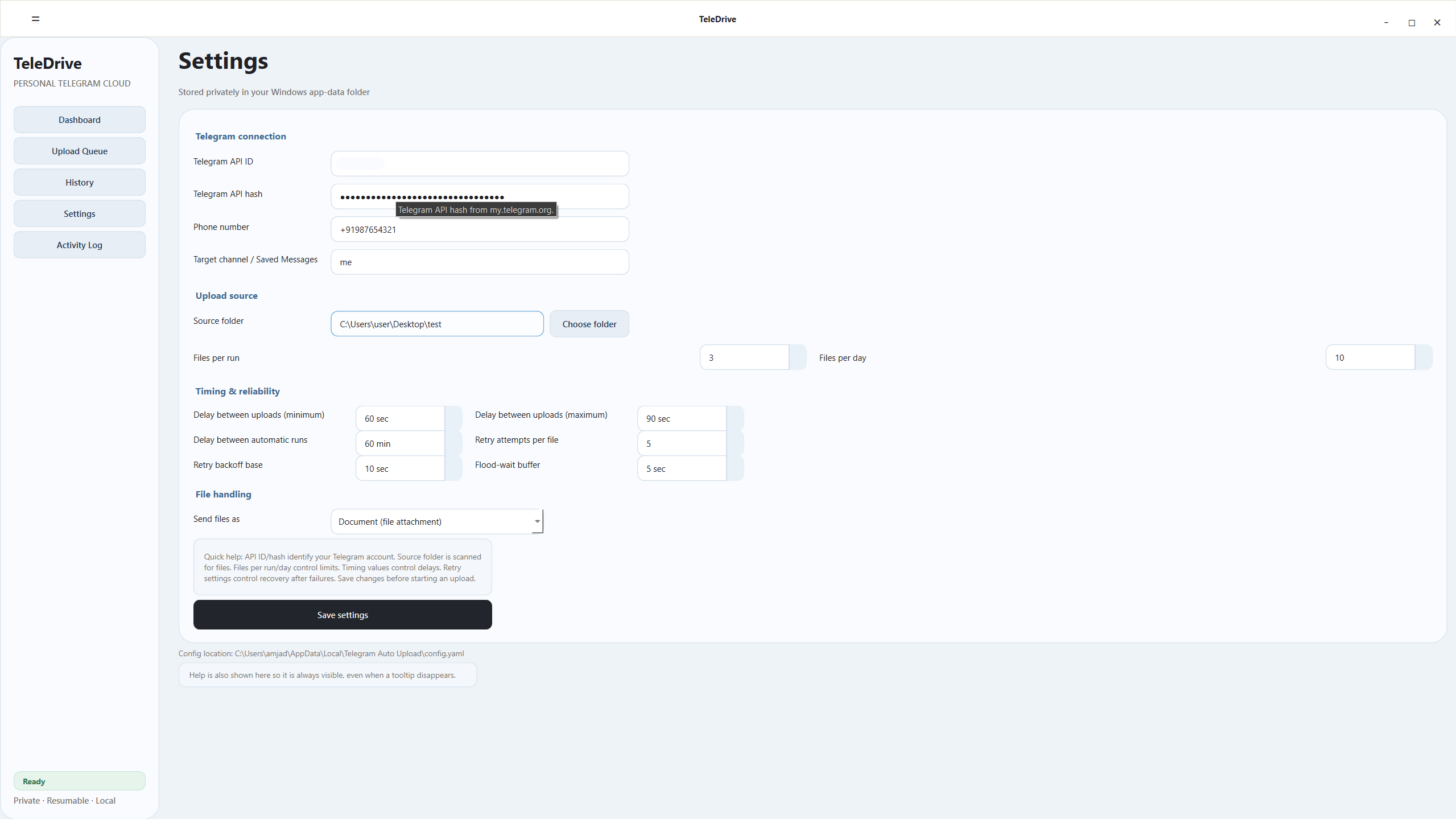
Built for Safety, Built for Scale
Unlike generic upload scripts that get accounts restricted, TeleDrive was engineered from day one to treat Telegram API limits with extreme care.
Adaptive Flood-Wait Shield
When Telegram returns FLOOD_WAIT_X, TeleDrive honors the exact cooldown plus an extra configurable safety buffer (e.g. +30s) instead of failing or hammering the server.
Resumable SQLite Engine
All scanned files, queue states, and batch audit logs are committed to an ACID-compliant local SQLite database. Restart your PC anytime without losing progress.
Randomized Jitter Delays
Avoid robotic request signatures. Configurable minimum and maximum intervals (e.g., 20–60 sec) ensure uploads mimic natural human pacing.
Direct to Saved Messages
Upload directly to your private "Saved Messages" or a private backup channel. No third-party relay servers, no telemetry, and no middleware subscriptions.
Zero Dependency Binary
Available as a standalone Windows .exe installer and portable Linux x86_64 bundle. No Python setup, pip packages, or virtual environments needed.
Automatic Loop & Scheduler
Set TeleDrive on autopilot with hourly or daily batch intervals. Single-process locking ensures multiple instances never clash or overlap.
Timing & Safety Simulator
Calculate your backup throughput and simulate Telegram rate-limit safety scores before running your first batch.
Excellent. Natural upload jitter prevents Telegram flood-waits and protects your session.
Recommended Safety Presets
Field-tested default configurations crafted for private personal backup archives without triggering Telegram spam filters.
| Setting Name | Recommended Value | Operational Purpose | Type |
|---|---|---|---|
| Files per run | 20 | Maximum files processed in one continuous execution batch. | Batch Control |
| Files per day | 500 | Hard daily cap across all automatic and manual batches combined. | Daily Quota |
| Delay between uploads (min / max) | 20s – 60s | TeleDrive selects a random wait time within this window after each file. | Jitter Interval |
| Delay between automatic runs | 60 min | Rest period before the scheduler initiates the next queue scan and upload. | Scheduler |
| Retry attempts per file | 3 | Number of automated retry attempts after transient network disconnects. | Resilience |
| Retry backoff base | 30 sec | Exponential delay scale (30s, 60s, 120s) between failed retries. | Backoff |
| Flood-wait buffer | +30 sec | Extra cushion added to server-mandated cooldowns to guarantee safety. | Protection |
| Send files as | Document | Preserves raw bit-for-bit file integrity without Telegram compression. | Storage Format |
Why Telegram limits matter
Telegram dynamically enforces sliding-window rate limits based on account age and destination. Always keep one TeleDrive process running at a time, upload directly to your private me (Saved Messages) or private channel, and avoid using the same phone number for bulk chat messaging while an archive batch is active.
Up and Running in 4 Steps
No technical configuration hurdles. Get your personal automated cloud backup running in minutes.
Obtain Telegram API Keys
Log in to my.telegram.org and create an application under API Development Tools. Copy the api_id and api_hash. A BotFather token is not needed.
https://my.telegram.org/appsConfigure Target & Timing
In Settings, enter your keys and choose me, a public @username, or a private channel/group ID. Start with Saved Messages for a safe test.
Target: me / @channel / -100...Recursive Folder Scan
Click 'Scan Folder'. TeleDrive recursively indexes all files into its local SQLite database, generating deduplicated file hashes.
SQLite queue indexed instantlyLaunch Autonomous Backup
Click 'Run Batch' or toggle the 'Loop Scheduler'. TeleDrive uploads file-by-file with randomized delays, automatically logging every event.
Auto-resumes across rebootsAmjad P A
Everything You Need to Know
Detailed answers on security, storage locations, account limits, and platform compatibility.
Is it safe for my Telegram account to upload files?
Yes. TeleDrive uses official Telethon client sessions via Telegram's standard MTProto protocol. Unlike aggressive mass-uploaders, TeleDrive is deliberately designed with slow, randomized delays (e.g. 20-60s) and respects every FLOOD_WAIT signal with extra buffers to prevent rate-limit penalties.
Where are my Telegram session keys and database stored?
Everything is stored 100% locally on your machine. On Windows: %LOCALAPPDATA%\Telegram Auto Upload, and on Linux: ~/.local/share/Telegram Auto Upload. TeleDrive contains zero analytics, zero external API pings, and zero telemetry.
Do I need Python installed to run TeleDrive?
No! The Windows release comes with a standalone per-user installer (.exe) that bundles everything. The Linux release includes a portable x86_64 pre-compiled package. Python is only needed if you wish to hack on the source code.
What happens if my computer restarts during an upload?
TeleDrive uses a persistent SQLite database. Every scanned file and upload state is tracked with ACID transactions. When you reboot and restart TeleDrive, it immediately resumes exactly where it left off without duplicate re-uploads.
Can I upload to a private Channel instead of Saved Messages?
Yes. Set the target to a public username such as @my_backup_channel or a numeric ID such as -1001234567890. The logged-in account must be a member and have permission to post. For a private channel or supergroup, copy a Telegram Desktop message link and convert t.me/c/1234567890/... to -1001234567890.
Do I need to create a bot or get a BotFather token?
No. TeleDrive currently signs in as your normal Telegram user account through the MTProto API. Get api_id and api_hash from my.telegram.org, then complete the normal phone-code login. BotFather tokens are not used by the current application.
Is Two-Step Verification (2FA) supported?
Yes. When logging in for the first time, TeleDrive prompts you in the desktop app for your phone code and, if enabled, your 2FA cloud password securely.